
What Is a Website Diagnostic and What Will It Tell You?
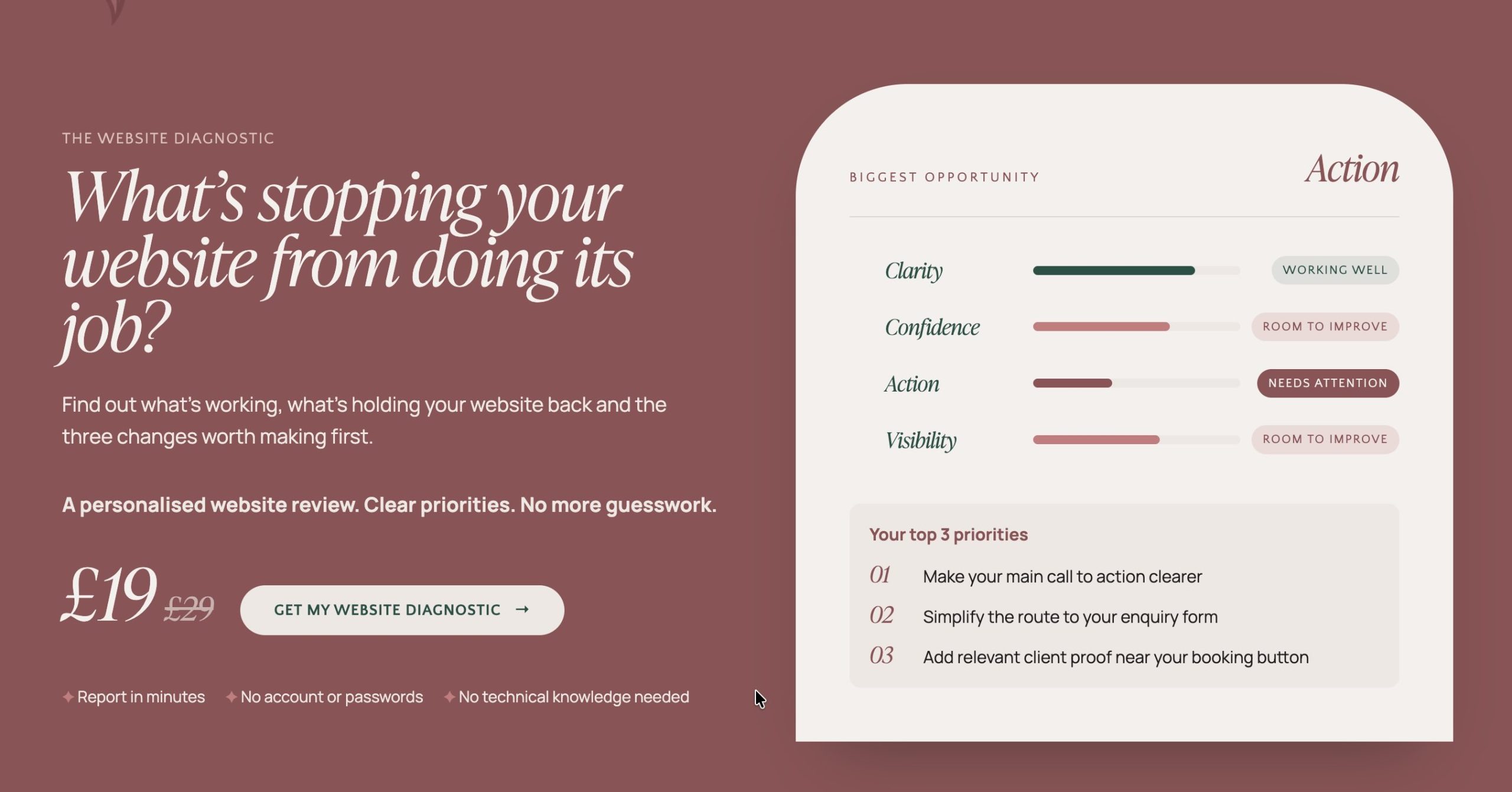
A Website Diagnostic is a structured check of your website that scores it against The Website That Works™: Clarity, Confidence, Action and Visibility. Instead of handing you one overall score or a long list of faults, it shows you which of the four pillars is holding your website back, so you know what to fix first.
In short: most website problems feel like one big, vague worry. A diagnostic turns that worry into something specific. This post explains what a Website Diagnostic is, what it looks at, how it differs from the free checks you can run yourself, and what to do with the result. It’s the first step I suggest to anyone who isn’t sure what’s wrong with their website.
What is a website diagnostic?
It’s a way of looking at your website through the same four questions your visitors are asking, and scoring how well it answers each one:
- Clarity: do they understand you?
- Confidence: do they trust you?
- Action: do they know what to do next, and do they do it?
- Visibility: can they find you?
Those four are the pillars of The Website That Works™, and when all four are working, the result is growth. The Website Diagnostic scores your site against them.
What will a website diagnostic tell you?
It tells you where the bottleneck is. Rather than a single number that says your site is “62 out of 100”, the report gives you a score for each pillar and names the one that’s holding the whole website back, for example “Bottleneck: Action”.
That matters because the right fix depends on the problem. A website that isn’t getting enquiries because nobody understands it needs a different fix from one that’s clear but impossible to find. Without knowing which it is, you can spend money on the wrong thing.
Each pillar comes with questions worth asking of your own site:
- Clarity: Who are you trying to reach? What problem do you solve? Can a visitor tell who it’s for and what you do within a few seconds?
- Confidence: Does your website reflect your business today? Would you proudly send someone to it? Is there real proof, such as reviews, results and real photos?
- Action: Does every page have one clear next step? Is it easy to book or enquire?
- Visibility: Can the right people find you? Can search engines and AI tools understand your business? Is the site fast and accessible?
How is it different from running free checks yourself?
Free checks are useful, and I’d encourage them. They just answer different questions.
Tools like Google’s PageSpeed Insights will tell you how quickly your site loads. Looking at it on your phone shows whether pages display properly and buttons are easy to tap. A DIY review is always better than no review at all. But those checks tend to cover the technical side. They won’t tell you whether a stranger understands what you do, trusts you, knows what to do next, or can find you.
There’s also a simple human problem: you’re too close to your own website. You know what you mean, so it all reads clearly to you. An outside view scored against a clear framework shows you what you can’t see.
Who is a Website Diagnostic for?
It’s for you if:
- You have a website but don’t know what’s holding it back.
- You feel a little embarrassed to share it, and you’d like to know why.
- You’re thinking about a redesign and want to understand the problem before you spend.
- You built the site yourself and aren’t sure whether it needs fixing or rebuilding.
It’s an entry point by design, priced at £19 at the introductory price (£29 standard), so you can find out where you stand before committing to anything bigger.
What happens after your diagnostic?
You’ll know which pillar to work on first, and you’ll have a clearer idea of what kind of help would make the biggest difference.
For some people, that’s a handful of fixes they can make themselves. For others, it points towards a Website Design Day, which improves an existing website within the platform it’s on. And if the problems run through the whole site, it may point towards Strategic Website Design. The diagnostic doesn’t commit you to either. It simply stops you guessing.
Frequently asked questions
What is a website diagnostic? A structured check of your website against four pillars: Clarity, Confidence, Action and Visibility. It scores each one and shows which is holding your site back.
How is a website diagnostic different from a website audit? Audits often produce a long list of issues. A diagnostic points to the main bottleneck and scores each pillar, so you know where to start instead of facing a long list.
How much does a Website Diagnostic cost? It’s £19 at the introductory price, and £29 standard.
Do I need a new website after a diagnostic? Not necessarily. Many websites need targeted improvements, not a rebuild. The result shows which kind of help you need.
Can I check my website myself first? Yes. Free tools such as Google’s PageSpeed Insights are a good start for speed, and looking at your site on your phone is useful too. They won’t tell you whether visitors understand or trust you.
If you’d like to find out where your website stands, you can start your Website Diagnostic here.